

Lonestar Injury Law: High-Converting Landing Page
- Category : Web Development
- Client : Lonestar Injury Law (Personal Injury Law Firm, Houston, TX)
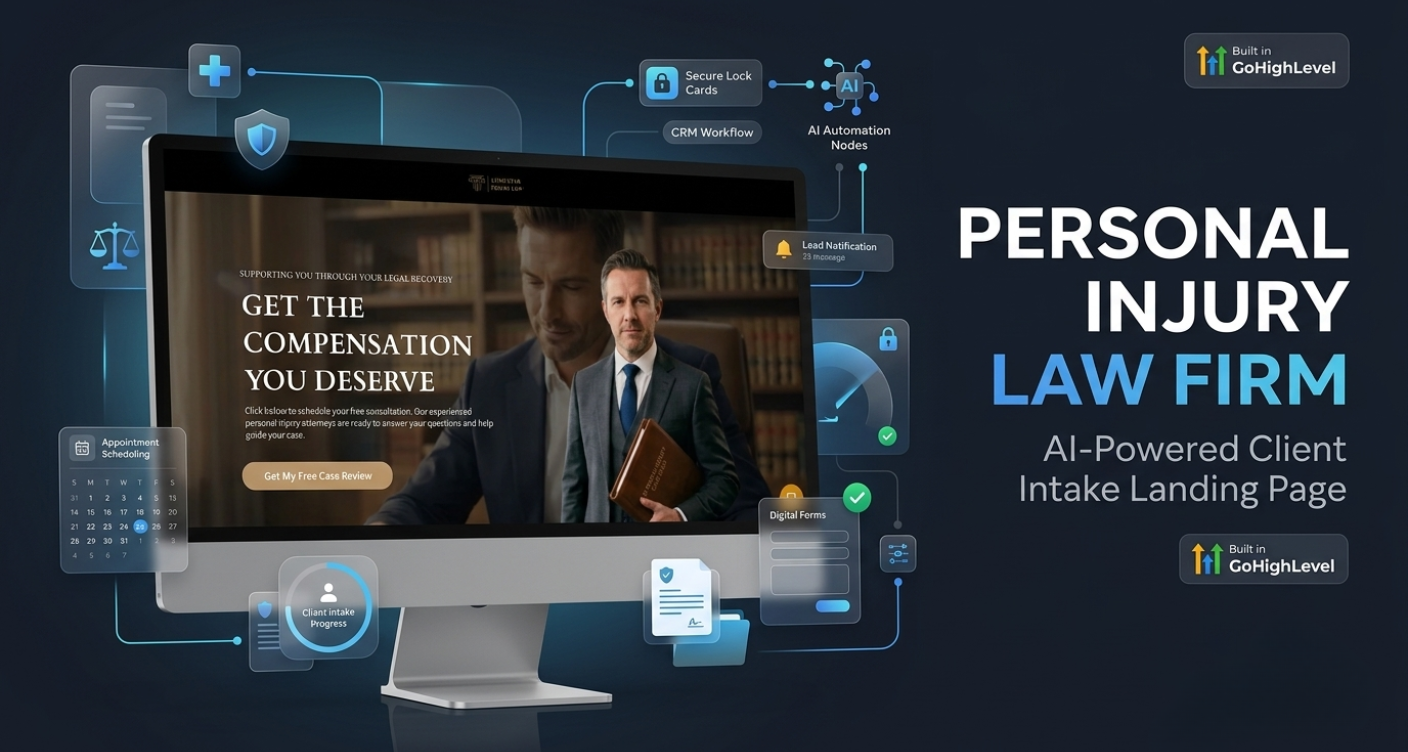
A Landing Page Built to Convert Visitors Into Clients
A personal injury law firm's landing page has one job: turn a visitor who just had an accident into someone who reaches out for help, quickly and without friction. This project involved designing and building a landing page specifically for Lonestar Injury Law, focused on clear messaging, fast load times, and a straightforward path to contact, rather than generic, cluttered design.
Design Approach
The page was structured around what a potential client needs to see first: reassurance, credibility, and a clear next step. The layout prioritizes a strong headline, easy to scan sections, and prominent calls to action throughout, rather than long blocks of text that visitors are unlikely to read in a moment of urgency.
Mobile-First and Performance Focused
Most visitors reaching a personal injury landing page are likely on their phones, often shortly after an incident. The page was built mobile-first, ensuring fast load speed and a clean, uncluttered experience on smaller screens, with every button and form easy to tap and complete without zooming or scrolling confusion.

Built to Integrate With Automation
Beyond design, the landing page was built to connect directly into a larger automation system, meaning every form submission feeds instantly into a structured pipeline and triggers automated follow up. The page isn't just a static design, it's the entry point into a complete client intake process.
-
01
Fast Load Speed
Optimized for quick loading, reducing the chance of visitors leaving before the page fully appears.
-
02
Mobile-First Design
Built to work smoothly on phones, where most visitors are likely to land first.
-
03
Clear Call to Action
Every section guides the visitor toward one clear next step: getting in touch.
-
04
Automation-Ready Structure
Form submissions connect directly into a pipeline and automated follow up system.

What This Demonstrates
This project shows how a landing page can be designed not just to look professional, but to actively support conversion, built with real user behavior in mind and connected directly into a larger business system. It reflects an approach to web development that treats a page as a working part of the client's business, not a standalone design piece.
related case studies
Web Development
Lonestar Injury Law: Landing Page Design Case Study
Web Development